
Bus applications in RollCall, and routes that stick to your plan
Part one of the rebuilt Bookings module brings bus applications into RollCall, Plan Navigation keeps drivers on your route, and schools can now edit their own welcome email.
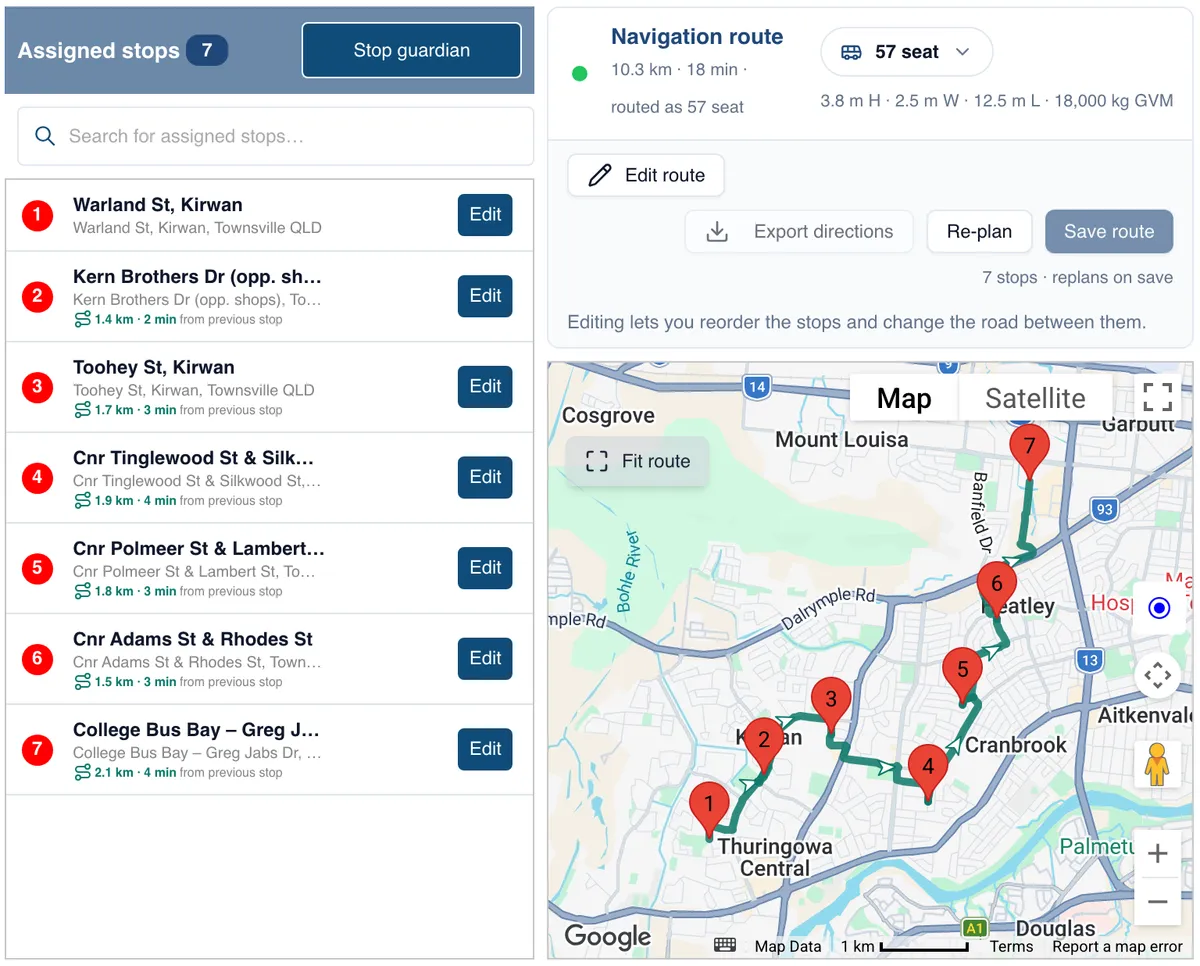
Stories, updates and good news from the team building safer school transport across Australia and beyond.
Bus applications straight into RollCall, routes that stick to your plan, a welcome email you control, and news from Townsville to Durban.
In this issue
- From sign-up to seated, all in RollCall: Part one of the rebuilt Bookings module: an Intake Workflow with a ready-made sign-up form for your website.
- You set the route. The bus drives it: Lock in the exact route between stops, and the driver's navigation follows it without rerouting.
- Your welcome email, your way: Add your logo, edit the wording and choose the help articles families see.
- Four changes worth knowing: Your most recent stops now come up first in the Parent App, plus three more.
- See every student who didn't roll over: Your exceptions list catches anyone below your rollover threshold who may still need a seat.
- On the road: School visits in Cairns and Townsville, and a stand in Durban.
From the team
Getting next year ready, one job at a time
Since July this year, every enhancement or new feature has had one goal: less for you to do before students come back in the new year. Each change, from Smart Route to this month's bus applications, takes a job off your desk, so the year starts faster and easier for your team and for parents.
Feature · Bookings
From Sign-Up to Seated, All in RollCall
The first part of our rebuilt Bookings module is here for 2027 intake.
We are rebuilding the Bookings module in RollCall. It is a big piece of work, so we are delivering it in parts, and each one takes more of the start-of-year load off your team.
Part one tackles the job schools ask us about most: getting families signed up and booked for next year. The new Intake Workflow is built into RollCall, so applications no longer live in a separate form, inbox or spreadsheet.
How it works
- Families apply from your website. You get a ready-made sign-up form with an embed code. Paste it into your website or parent intranet, and families apply for the bus in a few minutes.
- Applications land in RollCall. Each one arrives in your Intake queue, matched to the student. New families can be created straight from an application.
- Your team books them in. Work down the queue and assign each student a route, a stop and their bookings, right from the application. Seat them, waitlist them with a reason, or decline. Welcome and acknowledgement emails go out for you.
No re-keying answers from a form. No mail merge. No second list to reconcile against RollCall.
You can start now. Share your 2027 form link today. Applications build up in the background and appear in your Intake tab as soon as it switches on.
- One place for every application. From sign-up to seated, it all sits in RollCall.
- Fewer steps per family. Route, stop and bookings are assigned straight from the application.
- Open all year. A mid-year enrolment is just another application, not a separate process.
- Set up in one place. A new Setup tab puts booking periods and school holidays together.
See how the Intake Workflow works →
More parts of the Bookings rebuild will follow, and we will share each one here as it lands.
Feature · Route Builder
The Route You Planned Is Now the Route the Bus Drives
You set the exact route. The driver follows it, turn for turn.
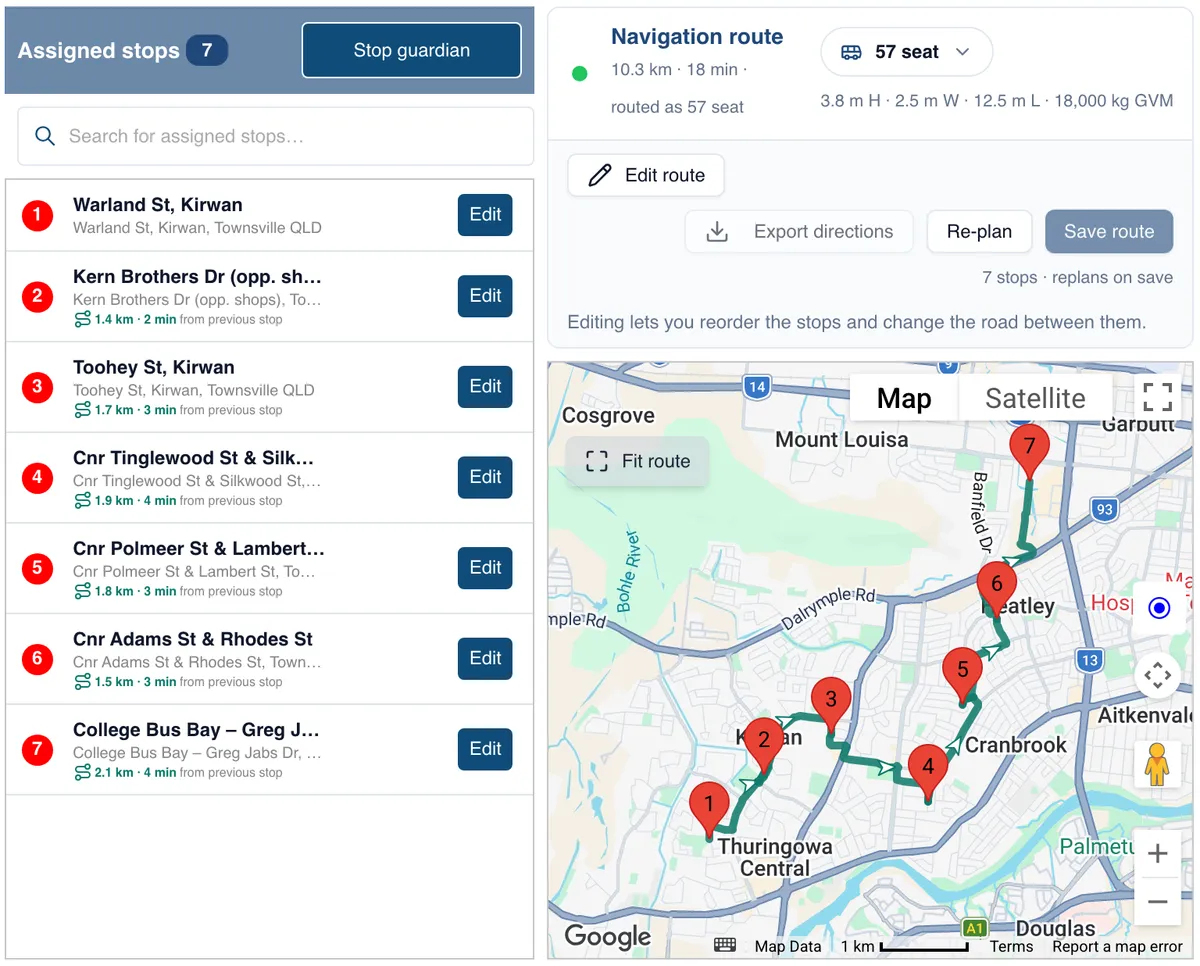
Last month we said the rebuilt Route Builder was next. Here it is.
Until now, driver navigation ran on Google Maps, which is built to find its own way. If the driver took a wrong turn, it worked out a new route. If the driver preferred another way, it went along with it. Either way, the bus could end up on roads you did not want it on.
Plan Navigation puts the route in your hands. In Route Builder, you set the exact path between every stop, and drag the line onto the roads you want: the safer turn, the back gate, the street that avoids the low bridge. Choose a bus profile so the route suits the size of the vehicle. RollCall saves it as the route.
The driver app then follows that route, turn by turn, with stop names instead of addresses. It does not work out a new route or choose its own roads. The route you set is the route the bus drives, whoever is behind the wheel. Guidance is rolling out now to schools using Navigation.
Navigation is switched on per school, and drivers use a separate navigation version of the driver app.
- You control the exact route. Set it once in Route Builder. It does not change unless you change it.
- No detours you did not plan. Navigation does not reroute the bus or send it down roads you have ruled out.
- Every driver, the same route. Relief and casual drivers follow the same path as your regular driver.
- Routing that fits the bus. Four bus profiles plus Custom, so a 12.5 m coach is not sent down a road built for a car.
- Your stop list stays clean. The points you drag in never appear as stops in reports, Stop Times, student allocation or the route PDF.
Read how Plan Navigation works →
Talk to Support about enabling Navigation for your school →
Feature · Parent communications
Your Welcome Email, Your Way
Schools now run the first email every family gets from RollCall.
The welcome email is the first thing a new family receives from RollCall. It tells them how to sign in and what they can do in the Parent App. Until now, every change to it went through RollCall Support: new wording, a different contact, or a different set of help articles to match the features you offer.
Now it is yours to run. From the new welcome email builder, you can:
- Add your school logo and colours. Five contrast-checked palettes keep it easy to read.
- Edit the wording. Write your own greeting and closing, such as your transport team's contact details.
- Choose the help articles parents see. Pick the ones that match the Parent App features you have switched on, so families only read about what they can use.
- See it before they do. The preview shows exactly what families will receive.
Sign-in instructions stay fixed and are kept current by RollCall, so the part families need most never goes out of date.
It is one more way we are putting your settings, and your communication with parents, in your hands. No ticket, no waiting.
What's new in September
Four changes worth knowing
One new, two better, one fixed.
Your most recent stops, first New
In the latest Parent App, the stop finder automatically puts a family's most recent stops at the top of the list, for bus changes and term bookings. The stop they use every day is the first one they see. There is also a search box when editing a booking, and a route filter for parents who think in routes. Worth asking families to update from the App Store or Google Play.
Extend bookings for students already on a route Better
Added a Saturday service? In Assign Students, students who already ride the route can now be selected and booked onto the new dates, rather than edited one at a time.
Year levels that aren't numbers now import Better
CSV imports accept year levels like Prep, K, R and -1, so nobody has to hand-edit the file first.
Parent alerts are sending reliably again Fixed
Some push alerts, including bus change and scan on/off alerts, were not always reaching parents. That is resolved.
Quick tip
The list that catches every student rollover leaves behind
In the new rollover, you choose a usage threshold: how often a student needs to have travelled this year for their bookings to carry into next year. Students who meet it roll over automatically. Students who don't are left out, so riders who rarely travelled aren't booked by default.
Some of those students will still need the bus. Until now, there was no easy way to see who they were, so they were easy to miss. Now, at the end of the rollover wizard, the Unbooked Students list shows every student whose travel fell below your threshold. It is your list of exceptions: work through it, book the ones who still need a seat, and nobody is waiting at reception on day one.
And if a rollover doesn't go to plan, you can reset it and run it again.
We walked through the whole rollover, including setting your threshold and working the Unbooked Students list, in two live sessions on Tue 6 Oct and Thu 8 Oct (AEDT, Sydney).
On the road
Two Countries, a Lot of Kilometres
Far North Queensland and South Africa, in the same week.
Four days in Far North Queensland
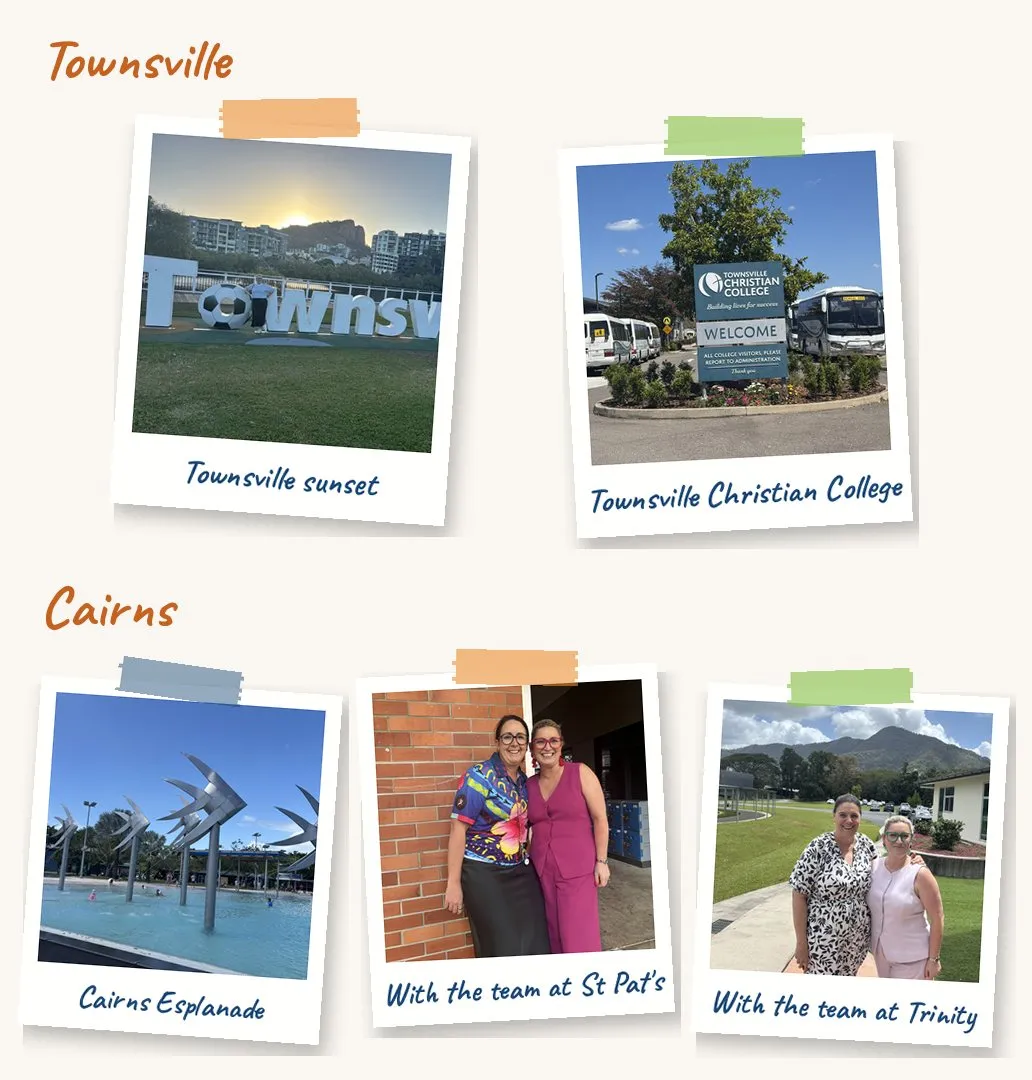
From 15 to 18 September, Amanda was on the road with our schools in Townsville and Cairns. In Townsville she visited St Patrick's College, Townsville Christian College and Calvary Christian College. In Cairns it was Peace Lutheran College, Trinity Anglican School and Freshwater Christian College.
The agenda at almost every stop was the same: what is new, getting ready for rollover to 2027, and the intake workflow. She also caught up with the Kinetic teams in both cities, who run the buses on the road every day. Thank you to everyone who made time for her - those conversations shape what we build next.
Across the Indian Ocean to Durban
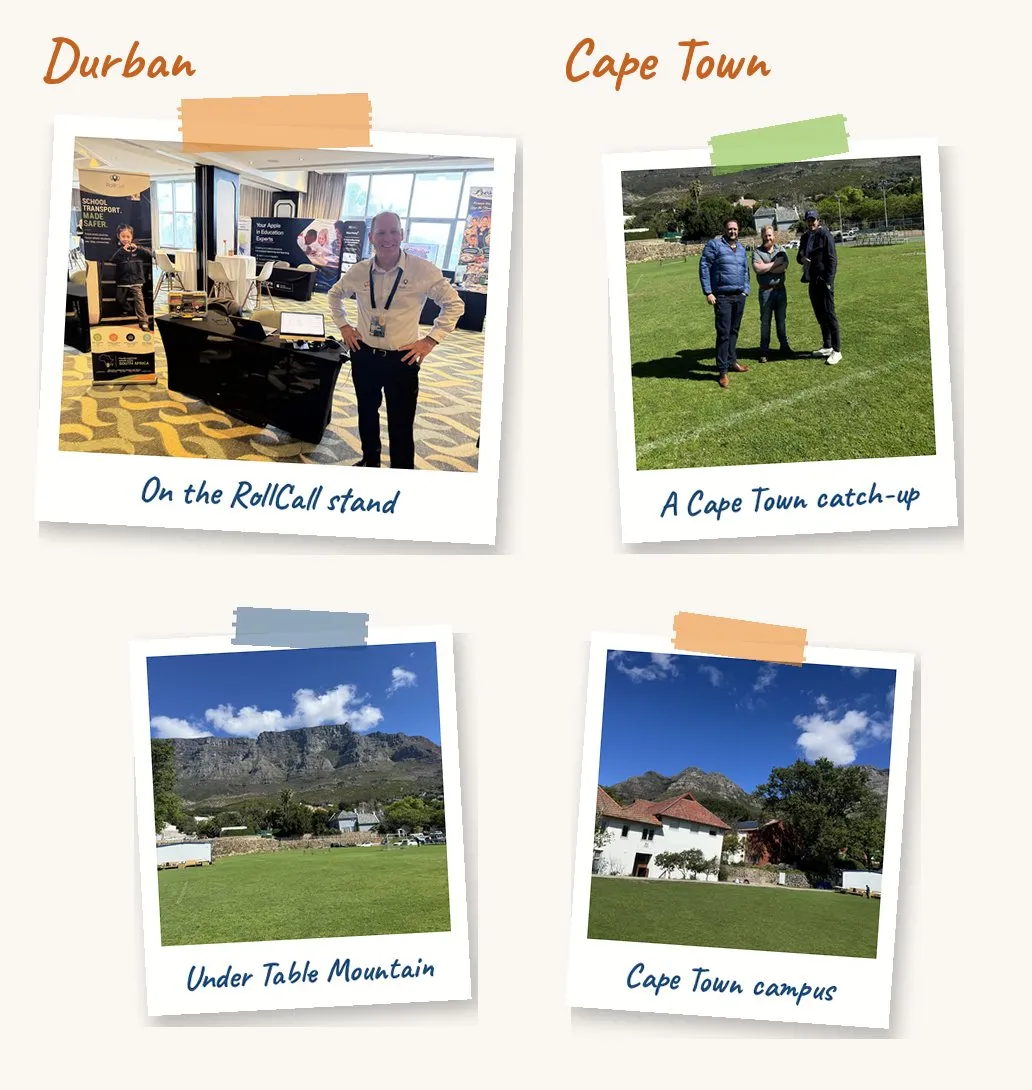
The same week, Dean took the RollCall stand to the SAHISA 2026 Conference in Durban, from 13 to 16 September. SAHISA, the Southern African Heads of Independent Schools Association, brings together school heads from across the region, and this year it met at the Southern Sun Elangeni on Durban's beachfront.
Two days on the exhibition floor meant a lot of conversations with school heads about getting students to and from school safely. Thank you to ISASA, SAHISA and the organising committee for having us.
From our schools
In late August we helped Sunshine Coast Grammar School run a parent webinar on the bus service. The recording now sits on the school's parent intranet: one short session, recorded once, that answers the questions families ask every term.
"Thank you again for being so generous with your time and supporting our parent webinar… Thanks so much for all your help and expertise, it's so much appreciated."
— Caz Batchler, Administration Assistant - Operations, Sunshine Coast Grammar School, QLD
Talk to us about a parent webinar →
The RollCall roadmap
The Road Ahead
What our developers are working on …
Next up: more of the Bookings rebuild. The Intake Workflow is part one. The next parts build on it, including telling parents automatically when the school changes their child's travel. We will share each one here as it lands.
Further out: your school's branding on every parent email. This month it arrived on the welcome email; next, the same logo, colours and footer carry across to the rest of the emails families receive. More when we have dates.
Notice · RollCall Pay · Australian schools
From 1 October, no card surcharges on parent payments
New card scheme rules in Australia stop surcharges on credit, debit and prepaid card payments from 1 October 2026, including online and in-app. RollCall Pay will no longer add a card surcharge to parent payments at Australian schools. You do not need to do anything, and families will simply see the amount due. Schools outside Australia keep their current settings.