
Rollover has changed: why Term 4 is the moment to look again
Why Term 4 is the time to roll over to 2027, a preview of bus sign-ups through the intake workflow, three daily exception checks, a new children's privacy code and a school rodeo.

Stories, updates and good news from the team building safer school transport across Australia and beyond.
Rollover has changed. Here's why Term 4 is the moment to look again - plus daily checks, and a rodeo.
In this issue
- Less to pack into that week in January: Rollover has changed a great deal since you last tried it. Do it in Term 4 and come back to a service that's already set up.
- Bus sign-ups, without the double handling: Parents apply from your website, it lands in RollCall already matched to the student, and the family is told automatically. Coming in Term 4.
- Exceptions - what should we be doing daily?: Three checks on every service, fifteen minutes each morning - and what the answers are actually telling you.
- New privacy rules for children's data: Australia's first Children's Online Privacy Code arrives in December. It targets your suppliers rather than your school - and one clause asks who gets to see where a child is.
- The only school rodeo in Australia: St Brendan's has run one on its own arena since 1978. We sponsored this year's - and sent along one family who wouldn't otherwise have made it through the gate.
Feature · Rollover 2027
Less to Pack Into That Week in January
Rollover has come a long way. It's time to take another look.

Think about the week before students come back. You have a few days. Maybe a week if you are lucky. Staff to induct, timetables to confirm, enrolments still landing, families ringing about the bus. And somewhere in that pile, an entire year of transport to set up from scratch. It does not have to be in that pile.
Rollover has been steadily enhanced over the past couple of years, and it is now a guided process that walks you through every step. If you tried it back in the early days and it did not go well, we understand why you have not been back. We would genuinely like you to look again - not least because you can now undo the whole thing if it does not go to plan.
Our recommendation this year: roll over in Term 4, before you go on leave.
And if you use custom tags, order them now - at the start of Term 4, not the end.
- You can undo it. If a rollover does not go to plan, roll it back and try again. Trying is no longer a one-shot bet.
- You do not have to wait for your integration. Your LMS rollover and your RollCall rollover are separate jobs. One does not block the other.
- One less thing in January. Do it in Term 4 and come back to a transport service that is already set up.
Rollover training sessions, webinars and step-by-step guides run right through Term 4, starting with two sessions in the first week of term: Tue 6 Oct, 10:00-10:45am and Thu 8 Oct, 2:00-2:45pm (AEDT, Sydney).
Why rollover is worth another look →
Feature · Onboarding
Easier Onboarding - The Intake Workflow
You have all their data. You still don't know who wants the bus.
Every school gets its student data into RollCall one way or another. Some add students one at a time. Some run a bulk CSV import. Some have an API integration keeping everything in sync automatically. All three work - and not one of them answers the only question that actually matters for transport: does this family want the bus?
That conversation happens somewhere else - a Google Form, a permission platform, an email to the transport office. Wherever it happens, it ends the same way: someone copying the answers into RollCall by hand. Then the real work starts. Every student still has to be allocated to a route and a stop, one at a time, which is three separate lookups for every family. And once that's done, every family has to be told, which usually means one more export and a mail merge.
The new intake workflow removes all three steps. Put a sign-up form on your transport page and applications land directly in RollCall, already matched to the student. Work down the list with your spare seats and the student's location on the map in front of you. Assign them, and the family is notified automatically with their route, stop and time. No form inbox. No spreadsheet. No three screens per child. No mail merge.
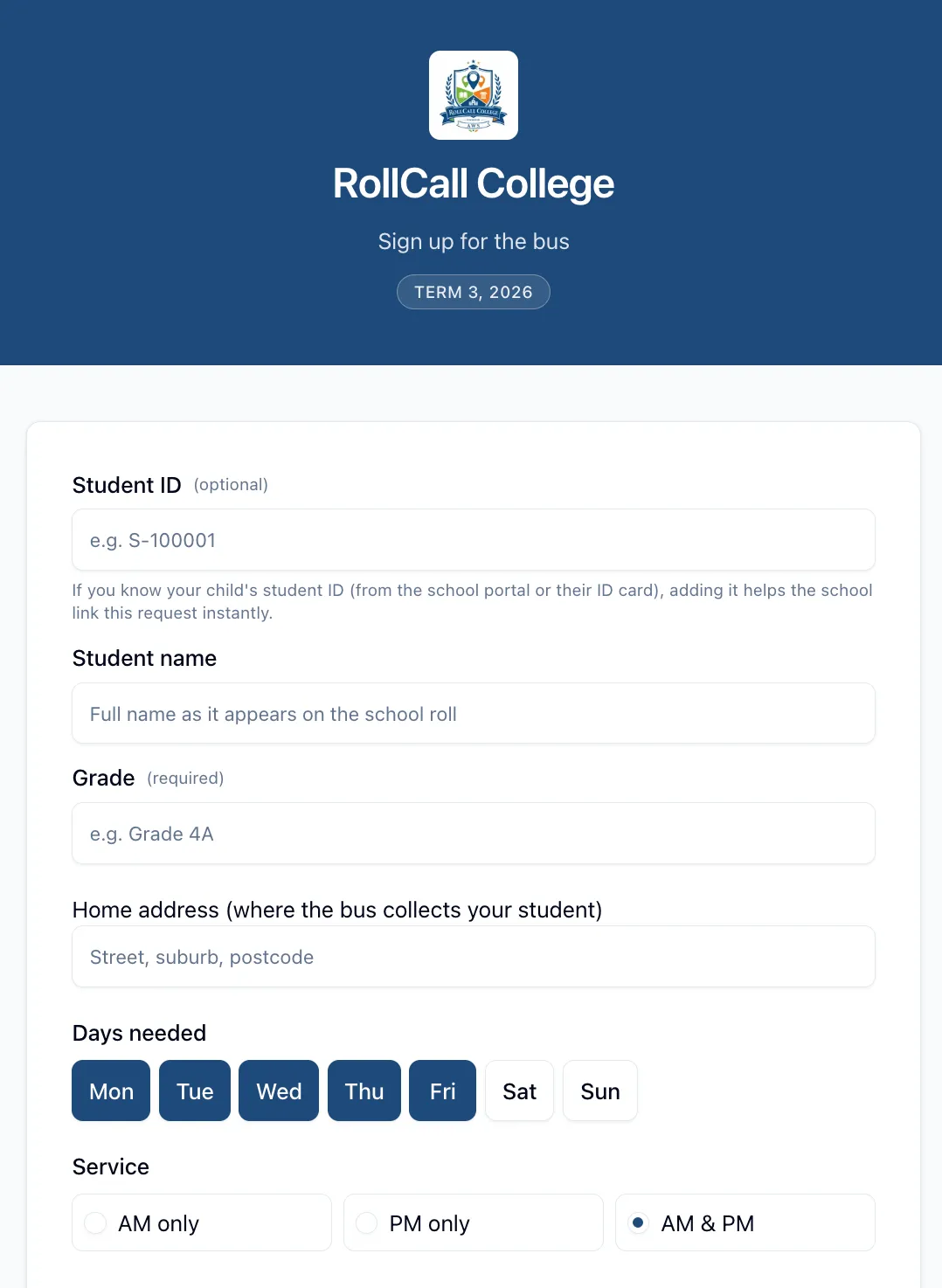
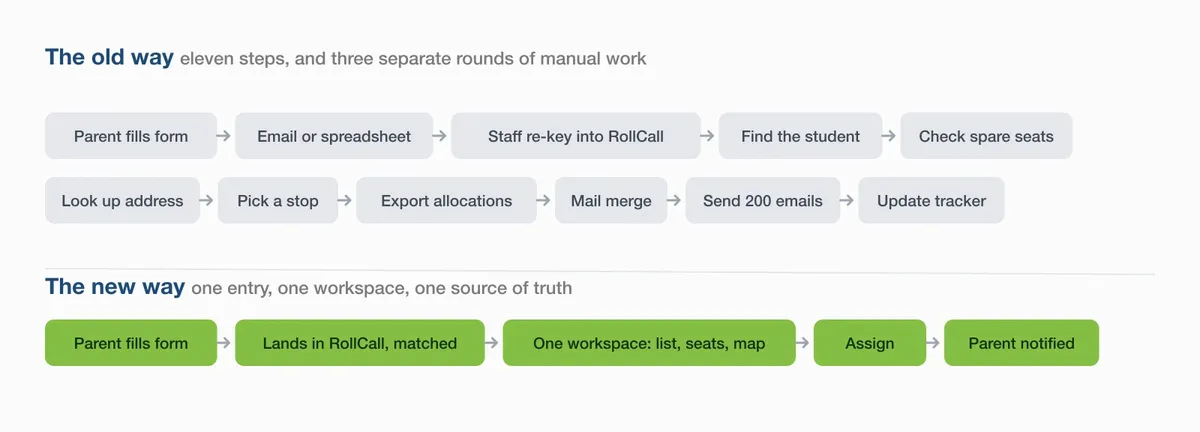
See how the intake workflow works →
Feature · Daily maintenance
Exceptions - What Should We Be Doing Daily?
Three checks, fifteen minutes, every morning.
It comes up at almost every school visit. "So what do we actually need to do day to day? How do we look after the system?" The answer is simpler than most people expect. Three checks on every service - AM and PM, every route - and fifteen to thirty minutes each morning to work through them.
Did the driver do the bus check?
Was every stop serviced?
Is there anything that needs resolving?
That is the whole routine. This month we have put together everything you need to build the habit: a short read on what those three answers are telling you, a walkthrough video showing exactly where each one lives, and a one-page quick reference for the wall beside your monitor.
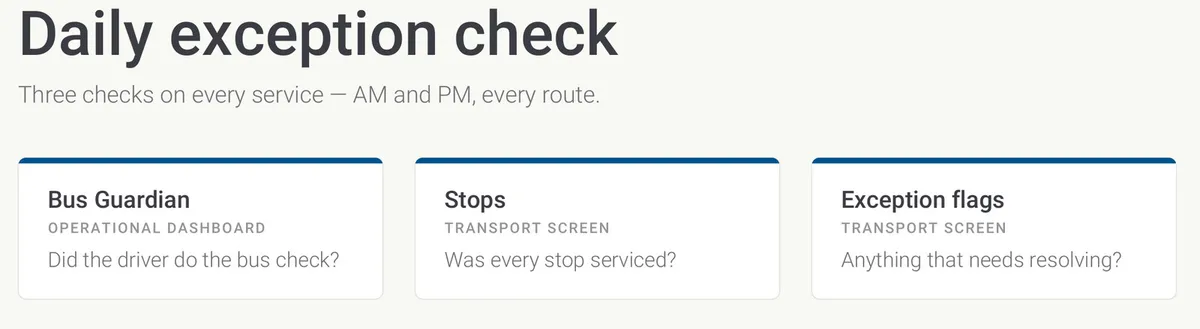
Read: what your daily check is telling you →
Download the Daily exception check (PDF) →
What's new in August
Five changes worth knowing
Two new, two better, one fixed.
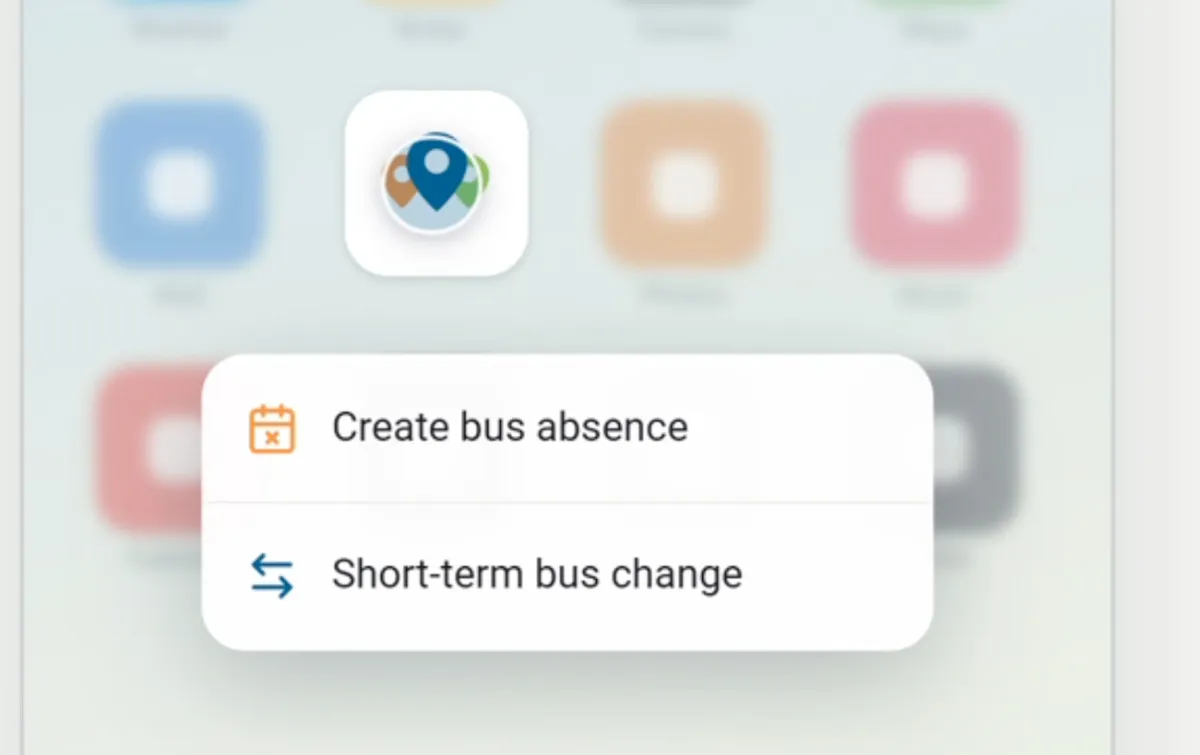
Add an absence straight from the app icon New
Parents can press and hold the RollCall icon on their home screen to jump straight to File Absence or a Short-term bus change - no opening the app, no navigating. (Available once you've updated to the latest version of the app.)
Intake Workflow - parents apply for the bus in RollCall New
Coming in Term 4. Families complete a bus application form embedded in your school website, landing in an always-open intake queue where you match, seat, waitlist or decline.
Rollover 2026 → 2027 Better
The rollover wizard no longer asks you to pick one representative day. Next year's bookings are built from each student's actual travel, with a per-route review and a closing worklist of anyone missed. See this month's feature article.
A much better CSV import Better
Imports are now checked before anything is written - a preview split into Ready to Import and Needs Review, with problem rows fixable on screen. Check Settings → Organisation for the New Import Enabled toggle.
Non-Travel Surcharge now applies consistently Fixed
Following last month's launch, we found the surcharge was applying inconsistently across some routes and dates. That's resolved - worth a quick look at your charges if you introduced the surcharge in July.
Quick tip
Create an absence without opening the app
Parents can press and hold the RollCall icon on their home screen and jump straight to create an absence, or make a short-term bus change. Two of the most common things a parent does, now two taps away.
It is worth passing on to your families. It saves them opening the app and navigating, and it saves you the phone call. Available once they have updated to the latest version of the app.
Privacy · Children's Online Privacy Code
Who's Looking After Your Students' Data?
What Australia's first Children's Online Privacy Code could mean for your suppliers.
Think about how many online services know something about your students - the learning platform, the library system, the photo app the sports department uses, the bus tracking app in a few thousand parents' pockets.
Australia's first Children's Online Privacy Code is taking shape, with the next stage due in December. It is built around a simple idea: children's data should be handled in children's interests. It is aimed at online services rather than at schools directly, but over time it will shape what your suppliers collect, what is switched on by default, and what they tell families. Here's the plain-English version, and a few things worth doing while it settles.
On the road
Eight Seconds, and a Whole Town
RollCall at the St Brendan's College Aussie Gold Rodeo.

There is exactly one school in Australia with its own rodeo arena. It sits on 300 acres of bushland outside Yeppoon, and on Saturday 29 August it filled up with dust, nerves, chute gates and several thousand people.
The St Brendan's College Rodeo has run since 1978 - the only school-based rodeo in the country, and for a school full of boarders from cattle properties across Central Queensland, the biggest day of the year. RollCall was proud to sponsor it, and to send one family along who wouldn't otherwise have made it through the gate.
The RollCall roadmap
The Road Ahead
What our developers are working on …
Next up: streamlining routes with a rebuilt Route Builder - Plan Navigation that draws the real driving route on the map, drag-to-refine for authoring via-points, and a bus profile selector with four templates plus Custom.
It's the natural next step after July's Smart Route work - plan the routes, then roll students onto them with confidence. More in next month's issue.